Creating The Places Page
Ok so lets create page that shows all these places
make the folders to this directory: /src/app/(app)/allPlaces
and a page.tsx file with the following code
'use client';

import React from 'react';
import { Metadata } from 'next';
import { api } from '@/lib/api/client';
import { Table } from '@/components/ui/table';

const AllPlacesPage: React.FC = () => {
  return <></>;
};

export default AllPlacesPage;
As shown in File Structure - this creates a blank page that we can visit at the following URL
http://localhost:3000/allPlaces
Ok, lets fetch our data using the following statement:
const queryAllplaces = api.place.getAllReviewedPlaces.useQuery();
this returns a stateful variable that updates itself when the reviewed places have been fetched. As I said, tRPC exposes a really nice to use interface.
It wraps query endpoints (e.g. api.place.getAllReviewedPlaces) with Tanstack Query's query client.
So instead of just returning the data once, it manages the full lifecycle of fetching, caching, refetching, and error handling. We could also separate the useQuery as such like this as well:
const { data, isLoading, error } = api.place.getAllReviewedPlaces.useQuery();
Ok also the 'use client' directive at the top of the page tells NextJS that this code should be shipped and run client-side. This allows us to use stateful hooks which dynamically change the React DOM or the HTML
Ok so, EM uses tailwind to be able to write CSS quickly, feel free to read up on the documentation as well if you are unfamiliar: Tailwind CSS
I'm going to provide some TSX to display the data on the page and then quickly explain all the components
'use client';

import React from 'react';
import { Metadata } from 'next';
import { api } from '@/lib/api/client';
import { Table } from '@/components/ui/table';

const AllPlacesPage: React.FC = () => {
  const queryAllplaces = api.place.getAllReviewedPlaces.useQuery();

  return (
    <div className="container mx-auto px-4 py-8">
      <div className="max-w-4xl mx-auto">
        <h1 className="text-3xl font-bold text-gray-900 mb-6">
          All Places {queryAllplaces.data?.length}
        </h1>

        {queryAllplaces.data?.map((place) => {
          return (
            <div key={place.id}>
              <p className=" font-bold text-gray-900 mb-2 text-sm">
                {place.name}
              </p>
            </div>
          );
        })}
      </div>
    </div>
  );
};

export default AllPlacesPage;
The main part you might not be able to understand is the middle section (lines 15-26).
Curly Brackets in TSX
- In React/Next.js (JSX syntax), anything inside
{ ... }means: "Evaluate this JavaScript expression and render its result here." - This is how we mix HTML-like markup with real Typescript logic.
- You can kind of think of it as fstrings in python
We have two main bracketed sections: {queryAllplaces.data?.length} just evaluates the length of our data and displays it
The other one involves a mapping over the data. The mapping subsequently returns more HTML that renders a div for each place
{
  queryAllplaces.data?.map((place) => {
    return (
      <div key={place.id}>
        <p className=" font-bold text-gray-900 mb-2 text-sm">{place.name}</p>
      </div>
    );
  });
}
To just verbalise the logic - for every place in our data, create a div with the place name as the body of the div
This basically returns a list of place names. This is what your website should look like
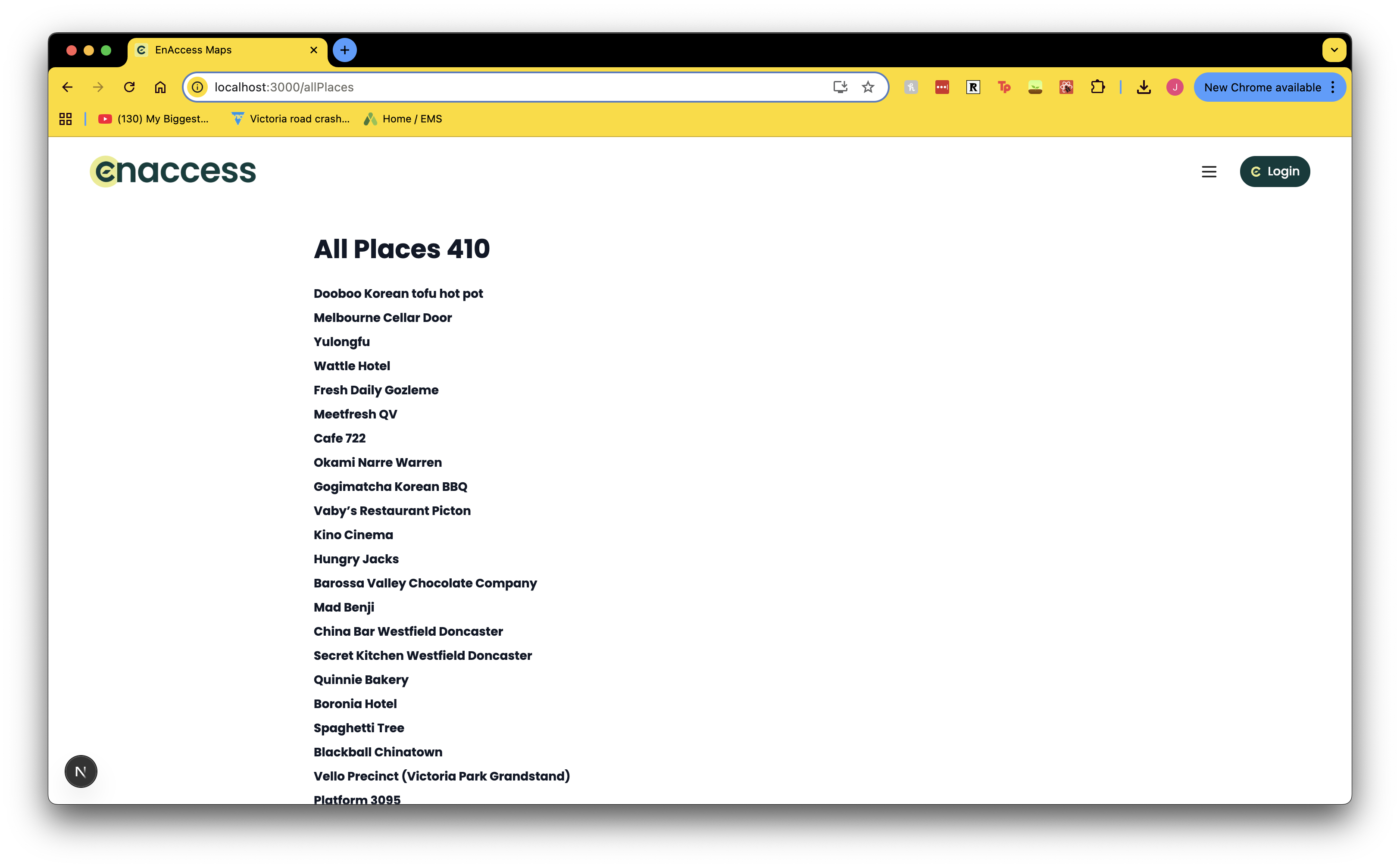
And now we have created our route and accessed that route clientside!